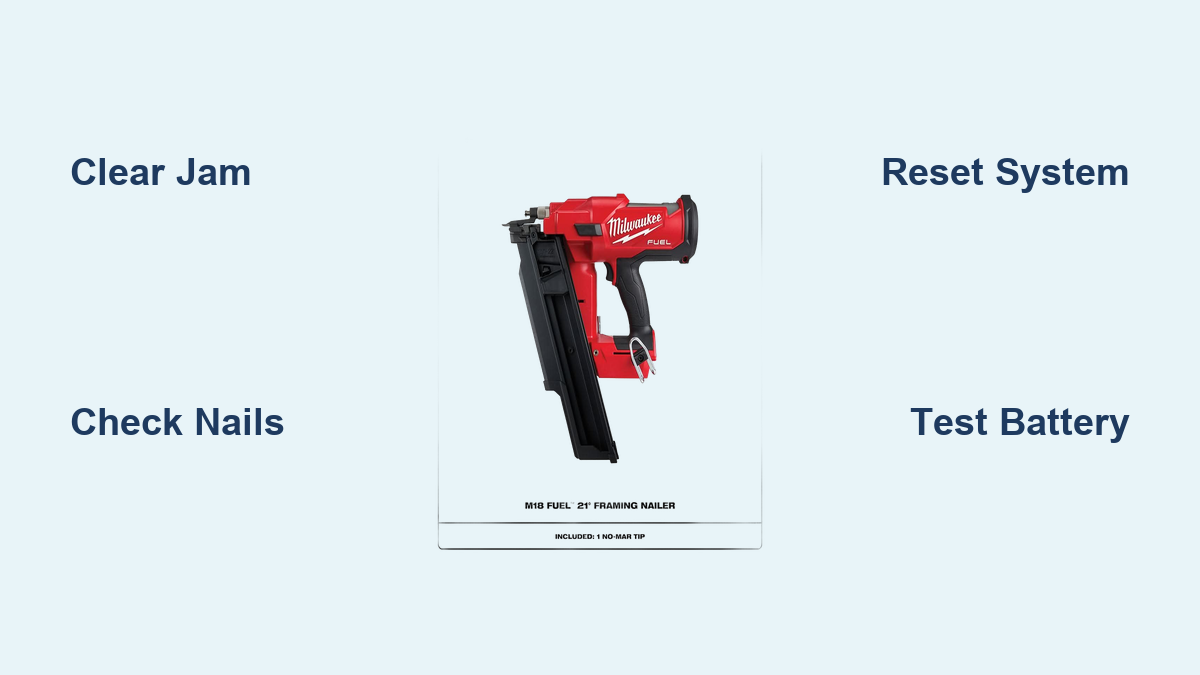
Fix Milwaukee Framing Nailer Clicking Noise
Your Milwaukee framing nailer starts rattling off four or five rapid clicks when you pull the trigger, but no nail comes out. The mode lights blink wildly between single-fire and triple-fire settings, and sometimes the tool only fires after you release the trigger and pull it again. This frustrating issue, commonly reported on M18 Fuel models, often strikes tools that are nearly brand new.
The clicking noise is more than an annoyance; it signals a real fault. Whether the cause is a jammed feed, a stuck striker pin, low battery power, or an early build defect, this guide walks you through every proven fix. You’ll learn how to identify the exact symptom, apply the right repair, and know when to contact Milwaukee directly for a free replacement.
Decode the Clicking Symptoms on Your Milwaukee Framing Nailer
Understanding the exact pattern of clicks is the first step in fixing your nailer. Each symptom points to a specific root cause.
Rapid Clicking With No Nail Firing
When you press the nose down and pull the trigger, four or five quick clicks sound in succession without a nail driving. This signals Milwaukee’s dry fire protection activation, which halts firing when the system detects no nail in position.
- Common cause: Empty or misfed magazine, bent nail, or debris blockage
- What to look for: Multiple clicks in a single trigger pull, with no nail discharge
- Pro tip: If it fires on the second trigger pull, the feed system is likely resetting mid-cycle due to a temporary jam
Flashing Mode Lights With Clicks
If the clicking comes with rapid blinking between the single-fire and triple-fire mode lights, this is a confirmed system fault. The tool’s electronics have detected an internal error.
- What it means: Control board interference, sensor malfunction, or firmware glitch
- Not normal operation: Steady lights show mode selection; rapid blinking shows trouble
- Expert note: This pattern was especially common in early M18 framing nailer production builds
Clear a Nail Jam Quickly
A jammed nail is one of the most frequent reasons a Milwaukee framing nailer clicks instead of firing. Even when the magazine looks full, a bent or misaligned nail can block the driver from cycling properly.
Open the Jam Access Door
- Remove the battery for safety
- Locate the jam access door near the nose of the tool
- Slide or pop open the door (location varies by model)
- Inspect the feed path for bent nails, nail fragments, or debris buildup
- Use needle-nose pliers to remove any obstructions
- Close the door securely
⚠️ Warning: Never operate the nailer with the jam door loose or damaged. Misfires can occur.
After clearing, reinsert the battery and test with a fresh strip of compatible nails.
Verify the Nail Magazine Feeding Properly
Even without a visible jam, the pusher spring may fail to advance nails correctly.
- Open the magazine and confirm nails are fully seated
- Ensure the pusher arm moves freely and applies steady pressure
- Check that nails are straight and not binding in the track
- Replace any warped or damaged nails
✅ Quick check: Press the pusher back manually. Does it spring forward smoothly? If not, clean or lubricate the rails.
Verify Nail Compatibility Before Firing

Using the wrong nail type is a silent performance killer. Milwaukee M18 framing nailers are built for specific fasteners only.
Required Nail Specifications
| Feature | Required |
|---|---|
| Head Type | Full-round head |
| Angle | 30° to 34° clipped |
| Length | Per model specs (typically 2″–3½”) |
Off-brand or incorrectly angled strip nails cause inconsistent feeding, false dry-fire detection, and repeated clicking. Avoid paper-collated, wire-collated (unless specified), or 21° nails, as these will not feed properly. Replace questionable nails with Milwaukee-approved full-round head, clipped 30–34° strips and retest.
Inspect and Lubricate the Striker Pin
A stuck or binding striker pin can cause repeated clicking, especially if the tool previously jammed. This metal rod at the front of the driver chamber must move freely.
Remove the Magazine and Examine the Driver
- Take out the battery
- Unload the nail magazine
- Look into the driver chamber
- Check the striker pin for free up-and-down movement
- Confirm no bending, pitting, or debris obstruction
Clean and Lubricate the Driver Components
- Wipe the striker pin and cylinder with a clean cloth
- Apply one drop of pneumatic tool oil or Milwaukee-recommended lubricant
- Work the pin manually to free any resistance
- Reassemble and test
🔧 Pro tip: Perform this maintenance weekly in dusty environments to prevent buildup.
If the pin is bent or damaged, stop using the tool and contact Milwaukee for repair or replacement.
Reset the Electronic System
Flashing lights and repeated clicking often resolve with a simple system reset, especially after a jam or power fluctuation. This step clears temporary electronic glitches.
Perform a Hard Reset
- Remove the battery from the tool
- Wait 30 seconds to let internal capacitors discharge
- Reinsert the battery firmly
- Test the tool
✅ Success rate: Many users report immediate restoration of normal function after this step.
If lights continue flashing, repeat the reset and check the battery connection.
Test Battery Health and Power Supply

Low voltage or a failing battery can mimic mechanical faults. The M18 nailer requires full power to cycle the driver correctly.
Confirm Battery Health
- Use a fully charged M18 battery
- Try a different, known-good battery to rule out power issues
- Check for battery swelling, corrosion on contacts, or inability to hold charge
Use Genuine Milwaukee Batteries Only
Aftermarket or incompatible batteries may deliver inconsistent voltage, triggering partial actuations, clicking without firing, and system errors.
✅ Only use genuine Milwaukee M18 REDLITHIUM batteries for reliable performance.
If the tool works with one battery but not another, the issue is battery-related, not internal.
Address Early Build Manufacturing Defects
Some Milwaukee M18 framing nailers, particularly early production units, had documented reliability issues, including unexplained clicking and electronic faults.
Known Issues in Early Production Units
- Internal control board sensitivity
- Faulty mode sensors
- Weak driver return springs
- Premature striker pin wear
These tools were more prone to flashing lights and clicking, even after proper maintenance.
Milwaukee’s Warranty Response
Milwaukee acknowledged these issues and offered free replacements for defective units, often with fast turnaround within days. Prepaid shipping labels were provided via the eService portal.
📞 If your nailer is under warranty and clicking persists, contact Milwaukee directly rather than spending more time troubleshooting.
Use the Milwaukee eService Portal for Warranty Claims
When troubleshooting fails, the fastest resolution comes through Milwaukee’s official service system.
Submit a Warranty Claim Online
- Visit the Milwaukee Tool eService portal
- Enter your tool’s model and serial number
- Describe the issue clearly, noting the clicking noise, no fire, and flashing lights
- Upload proof of purchase if prompted
- Receive a prepaid shipping label
- Send the tool in. Milwaukee handles repair or replacement
✅ User experience: Many report receiving a brand-new unit within 3–5 business days.
This process eliminates the need to visit a store.
Return to the Retailer for Recent Purchases
For tools bought within the past 30–90 days, returning to the original store is a valid option.
Home Depot Return Policy for Power Tools
- Accepts returns of power tools with receipt
- Allows exchanges or refunds
- May offer manager’s compensation for travel or inconvenience
💡 Negotiation tip: One user reported securing a $50 discount on a replacement tool by explaining the long drive to the store.
Bring your receipt, battery, and charger, and clearly describe the issue when requesting a swap.
Prevent Future Clicking Issues With Routine Maintenance
Avoid future problems with simple maintenance habits and best practices.
Clean After Each Use
- Blow out dust from the nose and magazine
- Wipe down the striker pin
- Check for nail fragments before storage
Lubricate on a Regular Schedule
- Apply 1–2 drops of tool oil to the driver weekly
- Use only non-silicone-based lubricants to avoid gunk buildup
Store Properly Between Jobs
- Keep in a dry, dust-free case
- Remove the battery during storage
- Avoid temperature extremes
🛠️ Monthly checklist:
– Inspect nails before loading
– Test mode lights and trigger response
– Verify battery charge level
When to Seek Professional Repair
If the clicking persists despite all troubleshooting steps, it is time for expert help.
Authorized Service Centers
- Diagnose electronic faults accurately
- Replace defective control boards
- Inspect internal wear points
Visit Milwaukee’s website to find a certified repair center near you.
Contact Milwaukee Directly for Support
Even out of warranty, Milwaukee may offer discounted replacement, diagnostic support, or recall information if applicable.
📞 Call 1-800-WET-TOOL or visit milwaukeetool.com/support
Frequently Asked Questions About Milwaukee Framing Nailer Clicking Noise
Why does my Milwaukee framing nailer click but not fire?
The clicking noise usually indicates dry fire protection activation. The tool’s sensor detects no nail in position, often due to a jam, empty magazine, or sensor glitch. In many cases, a system reset or jam clearance resolves the issue.
What do flashing mode lights mean on my M18 nailer?
Rapid blinking between single-fire and triple-fire mode lights signals a system fault. This points to control board interference, sensor malfunction, or a firmware glitch requiring a hard reset.
Can incompatible nails cause a Milwaukee framing nailer to click?
Yes. Only full-round head, 30–34° clipped nails are compatible. Paper-collated, wire-collated, or 21° nails cause inconsistent feeding and false dry-fire detection, which triggers clicking.
How do I reset my Milwaukee framing nailer?
Remove the battery, wait 30 seconds, then reinstall it firmly. This hard reset clears temporary electronic glitches and often restores normal firing immediately.
Will Milwaukee replace a nailer that keeps clicking?
Early build M18 framing nailers with documented defects were replaced by Milwaukee within days under warranty. Submit a claim through the eService portal with your model and serial number for the fastest resolution.
How do I stop my framing nailer from jamming in the future?
Clean the magazine and striker pin after each use, lubricate weekly with tool oil, use only compatible full-round head nails, and store the tool in a dry environment with the battery removed.
Final Takeaways for Fixing Your Milwaukee Framing Nailer Clicking Noise
A Milwaukee framing nailer making a clicking noise is usually fixable in minutes. Start with the system reset and jam check, then verify nail compatibility and battery health. If your tool is an early build or still under warranty, contact Milwaukee directly for a fast, often free replacement.
Do not ignore flashing lights or repeated clicking; these are early warning signs of internal faults. With proper maintenance, compatible nails, and a fully charged genuine M18 battery, your nailer should deliver years of reliable service on the job site.
Run the hard reset now, clear any jams, and get back to framing.